Skip to content
Solutions

Festival production logistics: suppliers, deliveries, vehicles and accreditation on one plan

06:40 on a build day. A truck is at the gate a day early, the supplier changed drivers last night, and the stage crew it was bringing decking for is booked from 08:00. Whether that is a problem depends on whether the delivery, the plan and the gate are reading the same record. This page is for the production team that runs the site, with or without the crew in the same system.

What a production team runs in Ops

Ops is organised the way a production is: by project, phase and location. Each register below is kept once and the others refer to it, so a location or a supplier does not have to be entered twice.

Production plan

Every task and delivery on one dated plan: time, owner, department, supplier and status, edited in place while the production runs. Statuses from unconfirmed to completed, with priority from low to critical. A day view works as the floor's checklist. Departments receive the day's plan, the checklist with the unresolved backlog flagged, and tomorrow's plan in their inbox at 06:00; quiet days send nothing. Plan Live puts the plan on a wall screen, laptop or phone through a public link that is read-only, scoped to the departments and the level of detail you choose, and refreshes itself every 15 seconds.

Deliveries

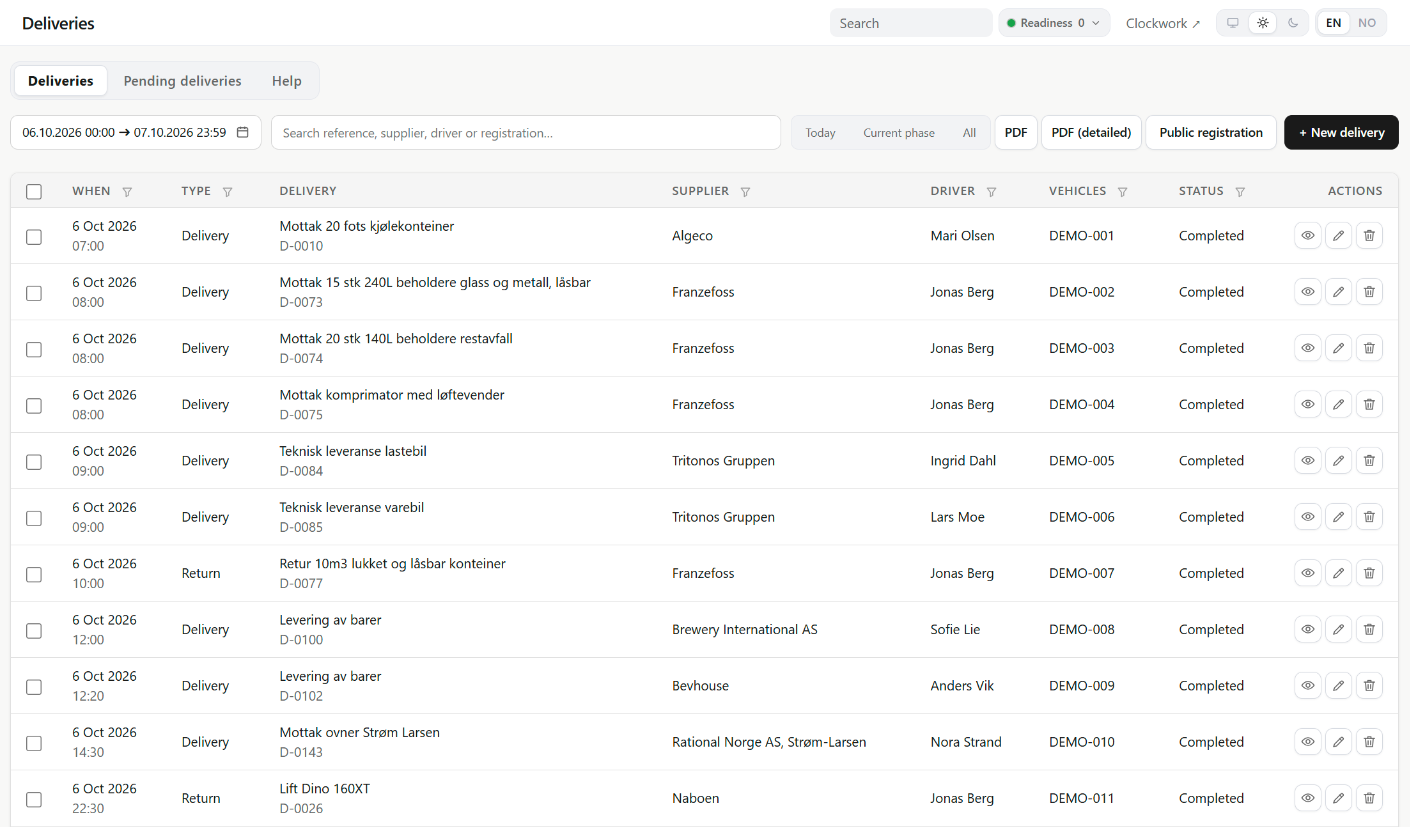
One delivery movement, one record, with a reference the gate can read out over the radio. A delivery carries a time window, a driver and a vehicle and is linked to the activities it serves. Move the arrival and the plan moves with it; complete the delivery and its activities are completed. Suppliers and hauliers register their own through a link. Nothing lands on the plan until you approve it, and only someone with access to both deliveries and the plan can approve one, because a delivery changes the plan.

Suppliers

A register with Brønnøysund company data: suppliers register with their organisation number, and legal name and registered address are refreshed from Enhetsregisteret every week, or on demand, without touching the names and contacts you keep yourself. Documents that expire sit on the supplier. Each supplier gets one link for what you enable. Deliveries and company details arrive as proposals you review field by field, vehicles and passes are reviewed per request, and contact changes apply at once.

Vehicles

Request, review, permit, gate. Access and parking are two decisions, each with its own dates and places. A Norwegian plate fills in make, colour, dimensions and weight from the Statens vegvesen register, in your own forms and in the links suppliers use. At the gate, a scan of the vehicle's QR pass or a plate search gives one answer, approved or denied, with parking shown beneath it.

Accreditation

Who is allowed on site and who has signed in: passes per type and project phase, with the locations, zones and gates each type covers, and a sign-in desk that shows who is in. Passes are entered by you, or come from suppliers, guestlists and public links you approve.

Locations

The site structure in levels, with zones, gates and parking under each location. Accreditation, vehicles, incidents, risk assessments and the plan all refer to the same places, so a gate changed once is changed everywhere. Locations belong to the account and are assigned to all projects or to selected ones, so next year's site starts from this year's.

Risk assessments

Safe job analyses with hazards, controls and participants, which can be formally approved and which participants can confirm through a link.

Readiness, when you use it

One readiness level for the account or a single project, from 0 Normal to 3 Critical, always set by a person with a reason. It shows in the workspace header and on Plan Live screens, and the people on the notification lists hear about changes by email or SMS.

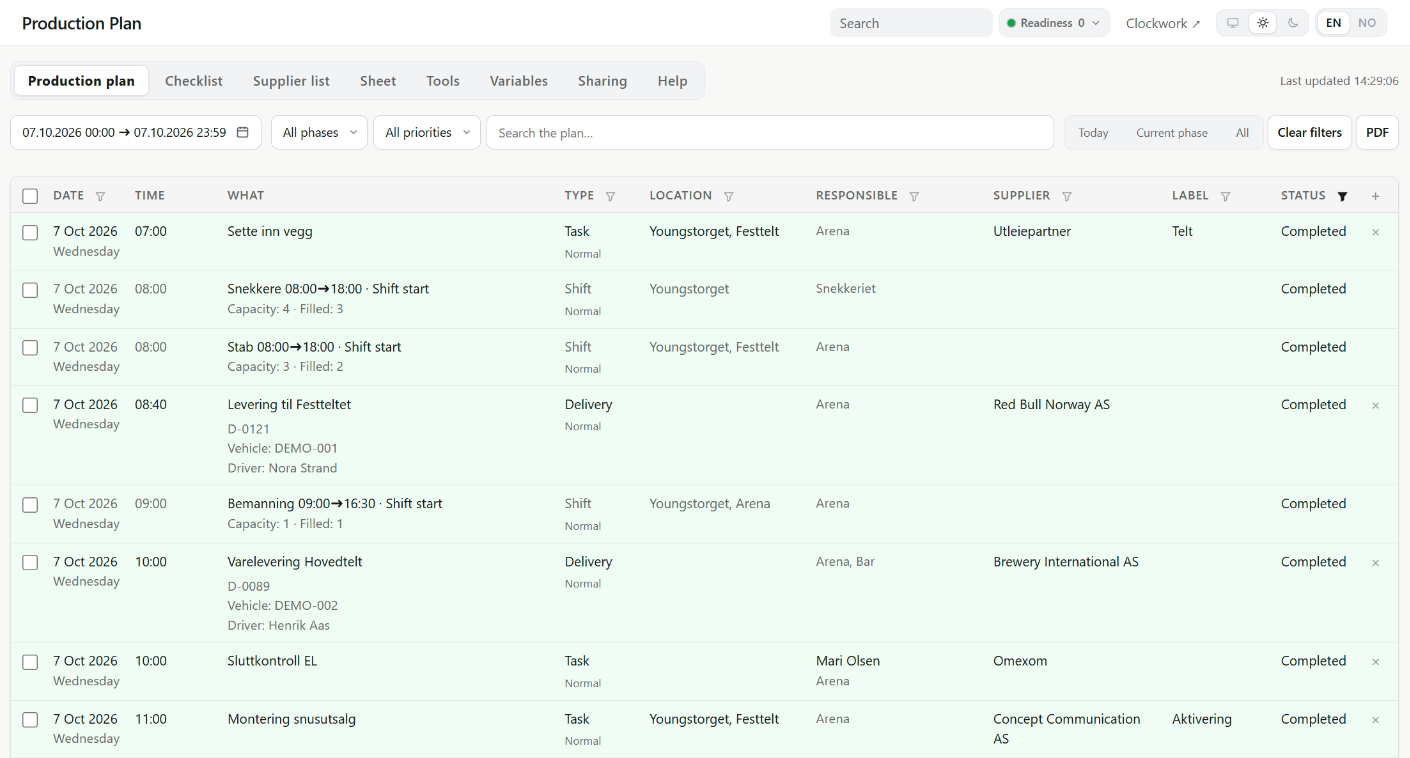
HR Cluster production plan for one build day: tasks with department, supplier and status, and deliveries with reference numbers, each marked completed. Names and vehicles are sample values.
Production plan, one build day (7 October): tasks, shifts and deliveries with department, supplier and status. Names and registration numbers are sample values.

Phases hold it together

A project is split into the phases your production already uses, whatever you call build, show days and take-down. Accreditation passes, vehicle permits, the plan and power logging all follow the phase, so a vehicle permit set for the build reads denied on a show day, and the plan narrows to the stretch you are in.

Bring the sheet you already run on

Most productions arrive with a production sheet that works. Paste it in or upload a CSV; a mandatory preview shows what will land, sheets without a location column have their department values settled first, and rows arrive as one recorded batch. The plan goes back out as CSV to carry into next season, or as PDF for the plan, the checklist and the supplier list.

HR Cluster deliveries and returns for two build days: references, time windows, suppliers and status, with sample driver names and vehicles.
Deliveries and returns, 6–7 October: references, times, suppliers and status. Driver names and registration numbers are sample values.

With or without Workforce

Ops does not require Workforce. Run on its own, it has Projects, Locations, Incidents, Suppliers, Deliveries, Vehicles, Accreditation, Production plan, Risk assessments, Departments and Readiness, for managers and admins. It holds no crew, so there is no schedule, no clock-in, and shifts do not appear on the plan. Accounts are set up together with us; there is no self-service signup. If you already have Workforce, Ops can be added to the same account as an optional paid add-on, on the same projects, locations and people. Both published case studies ran the two together.

Proof: Oktoberfest Oslo 2026

Three weekends at Youngstorget in central Oslo, a site built on a city square and taken down after the third weekend. The production worked from the production plan from August; every activity in the build, the weekends and the take-down carried a date, a phase, a location, a department and a responsible person. The plan held 891 activities, and 865 of them were marked completed. Each delivery got its own reference, D-0001 upwards, with a time window, a driver and a vehicle. Of the 95 deliveries, 70 arrived during the build; 44 of the 56 returns went out during the take-down. Suppliers proposed deliveries and changes from their own supplier page, and pending deliveries were approved from a phone during the build. Meals were planned from the published shifts, so the caterer received headcounts, not names. On site, Plan Live showed the plan on a screen, read-only.

Deliveries and returns
151
Activities in the production plan
891
Planned shift places
1,191
Crew clocked in
282

Deliveries and returns count the production's records for the 2026 project, cancelled ones excluded: 95 deliveries and 56 returns. Activities count the plan's own entries, without shift and meal rows. Planned shift places count the planned headcount on published shifts from the build to the take-down; 1,103 of them were filled. Crew clocked in counts the different people who clocked in on the project.

See it on your own operation.

Tell us how your events run and we'll show the flow on your real crew size and calendar.