
Shifts on the plan
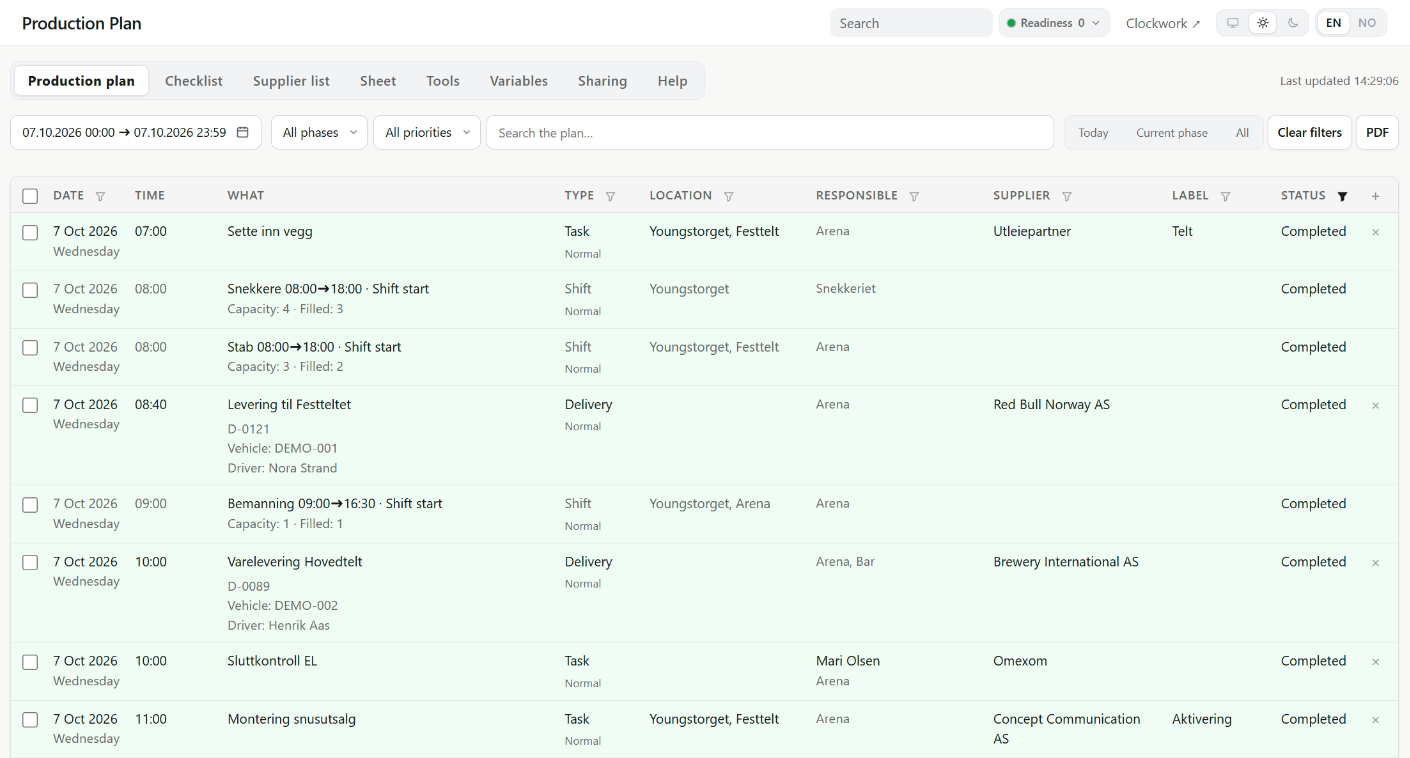
Published shifts are locked start and end rows in the production plan, with capacity and fill, in time order among the tasks.
Follow one rigger. She registers on the sign-up link in May and picks two build shifts. The production sends her contract from the template for her worker type, and she signs it on her phone. The production issues her a pass for the build. On the first build day her shift starts on the same production plan as the delivery bringing the staging, and that delivery has a reference the gate reads out over the radio. Her QR is scanned at 06:55. At 14:10 she reports a loose cable from the Plan Live screen. Her shifts, contract and clock-ins are all on the one profile she created. That is the whole page.
Every project has the phases your production already uses. Here is what the crew side and the production side look like in each, on the same account.
The sign-up link brings the crew in, group by group, with the right form, worker type and contract. Suppliers register through their own link and send in deliveries, passes and vehicles for you to review. Locations, zones and gates are set once: the schedule and the plan point at the locations, and accreditation, vehicles, incidents and risk assessments at the places they need. Risk assessments can be formally approved, and participants can confirm their briefing through a link. Published shifts appear on the plan as locked start and end rows with capacity and fill, in time order among the tasks.
A manager scans the crew's QR codes on arrival or clocks them in directly. The Workforce dashboard shows who is in and where coverage is thin. The accreditation desk shows who has signed in and not out. At the gate, a scan or a plate search gives one answer for a vehicle. Plan Live shows the day to the teams who need it, read-only, and carries a Report incident action on every screen and every row. From a row, the ordinary public incident form opens prefilled with what the link may show. Departments start the day with the plan and the checklist in their inbox. If Readiness is in use, the level in effect is in the workspace header and on the Plan Live screens, set by a person with a reason.
Returns are delivery records too, and completing one completes its activities. The last sessions are clocked out, corrected where a clock-out was missed, approved and exported to payroll as CSV. At clock-out, the items a person holds come up for return. What is left is one project with its plan, its crew, its suppliers and its incidents, and next year's project starts from the same locations, suppliers, groups and shift roles.
The places where the two sides share data:
Published shifts are locked start and end rows in the production plan, with capacity and fill, in time order among the tasks.
The person on a shift is the person you can make responsible on the plan, owner of an incident or holder of an item.
The schedule, the production plan and accreditation point at the same locations, with zones and gates under them for accreditation and vehicles.
Headcounts for the caterer come from published shifts, and the summary carries numbers, not names.
Reported from Plan Live, a poster or the workspace, each with a reference and a status, an owner and a priority once someone takes it on, and the people you name told by email, and by SMS when it is on.
Email or SMS to a group or a department, or only to those on shift or clocked in right now.
A Workforce plan with Ops as an optional paid add-on. Adding it is not a migration: Ops runs on the same projects, locations and people. Incidents is included. Modules are switched on per account. Workforce and Ops can be used together from the start, or Ops can be added later.
Both published case studies ran Workforce and Ops together.
Crew came in through public sign-up links: 195 of the 296 crew on the schedule joined this way, each crew group with its own registration form. Shifts from the schedule appeared in the plan as locked rows, in time order among the tasks. Of the 296 crew on the schedule, 277 clocked in, and five more clocked in without being on the schedule, 282 in all. On the event days, 944 of the 1,005 planned shift places were filled: 93% on the first weekend and 96% on the last. Because the schedule, the clock-ins, the deliveries and the plan sat in one workspace, the production could set who was scheduled against who turned up, and move a delivery without losing the work planned around it.
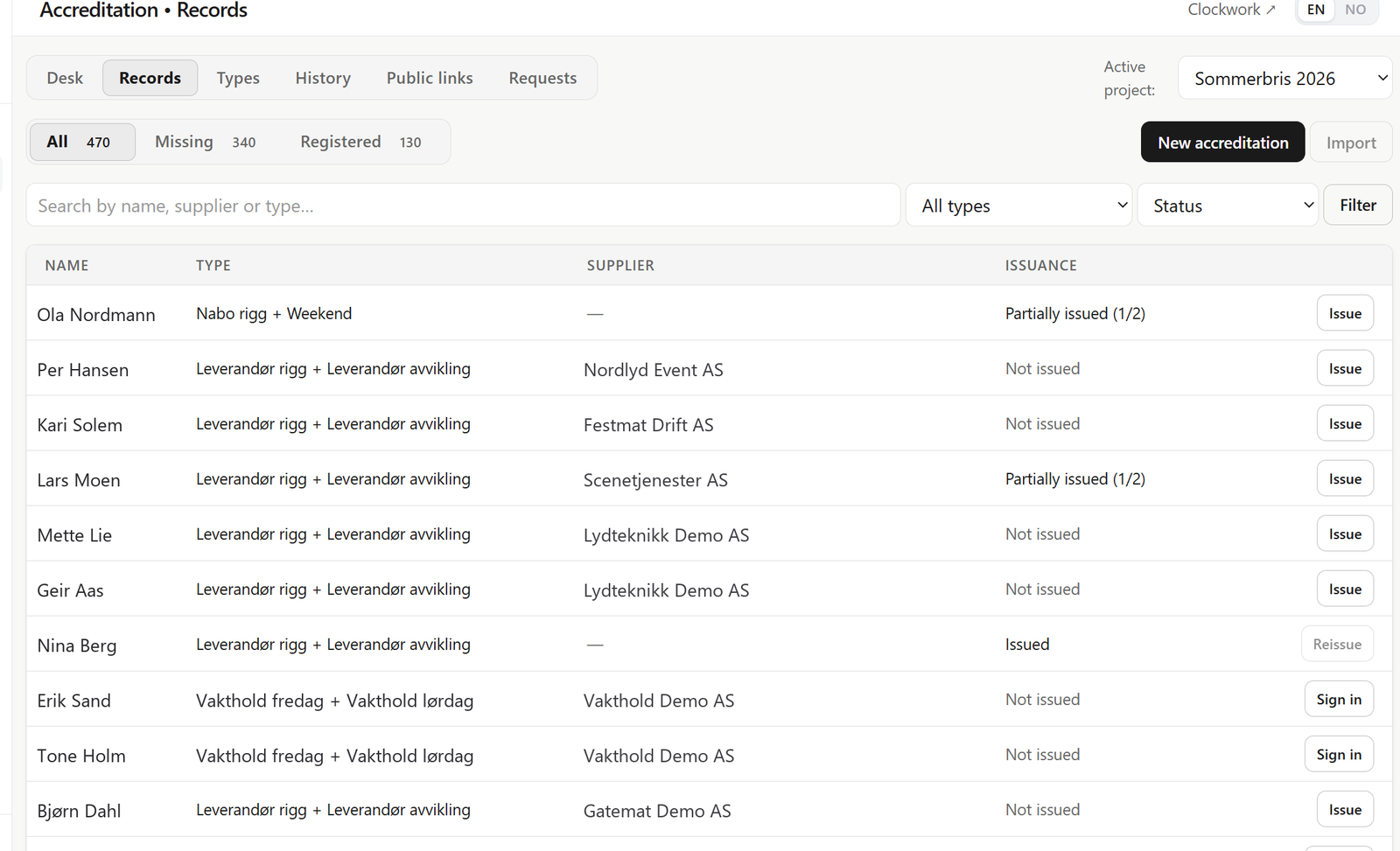
The production side ran in the same workspace as the crew. On Saturday 13 June, the evening the dashboard showed 416 clocked in at once, that workspace held 470 accreditation records, typed for the build and the festival days, and 55 risk assessments, alongside the festival's vehicle, supplier and power records. Radios and other equipment were issued to named people, with 90 items out that evening.
Registration, shifts, clock-in and payroll export, without production logistics.
Suppliers, deliveries, vehicles, accreditation and the production plan.
One plan for tasks, deliveries and suppliers, and a live screen for the teams who need it.
Tell us how your events run and we'll show the flow on your real crew size and calendar.