
Everything you need to run your workforce.
Control over onboarding, shifts, hours, contracts. One continuous flow. See who's ready, who's missing, who's on site. This is where most teams start.
Used in production in 2026: crew sign-up, contracts and clock-in at Sommerbris, production plan and deliveries at Oktoberfest Oslo.
From crew list to payroll. No gaps.
One flow. Not seven tools and a spreadsheet.
How event teams run Workforce in practice
Six steps, from crew list to payroll.
Import crew
Or let them sign up through a link.
Structure
Match how the event is actually run, not generic org charts.
Send one link
Onboarding, shifts and contracts together.
Track live
See who shows up, who's missing.
Handle in real time
Requests and incidents from one place.
Ready for payroll
Review and correct hours, keep the original record, and approve sessions before payroll export.
What's happening right now?
Updates as the event runs
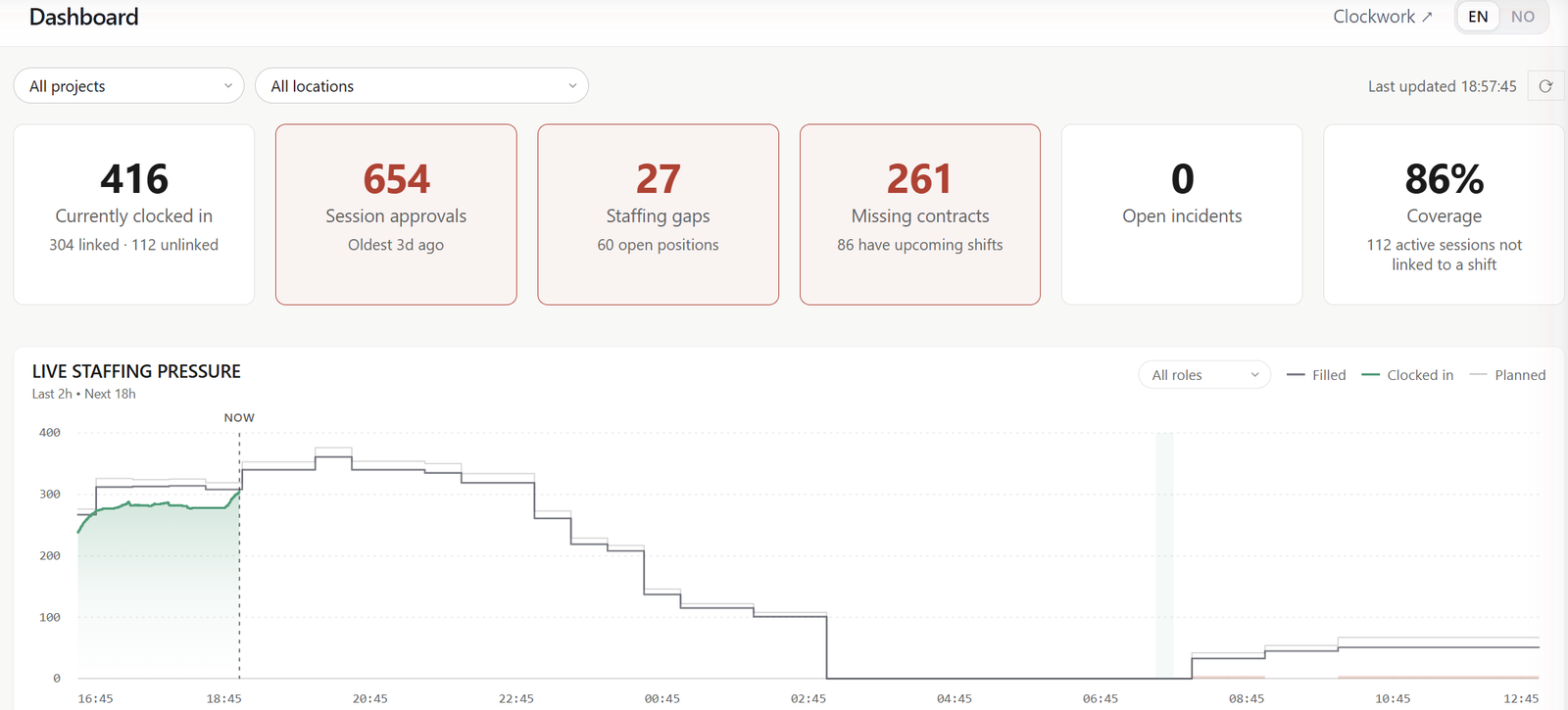
See who's on site, who's late and where you're short. Without walking the venue.
Live staffing status
Per shift. Updated as it changes.
Late and no-show flags
Same view. Not hindsight.
Real-time data
From clock-in. Not feedback.
Their shifts, their hours, their own record.
Crew sign in on their phone to a page of their own. Nothing to install, and nothing they should not see.
My shifts
Upcoming shifts and the ones open for signup. A request waits for the manager where approval is required, and a shift they cannot take says why: already full, overlapping another shift, too little rest between shifts, or under the minimum age.
My hours and profile
Clock-in history, contact details and PIN, competence and food allergies, kept current by the person they belong to.
A page for the group lead
A partner club, a volunteer team or a supplier crew can name one contact who sees that group's members, shifts and hours, read-only, and nothing else.
Not an HR system
An operational picture built for events. Not an HR system bent into shape for them.
Office tools assume stability
Monthly payroll. Permanent staff. Manual processes.
Built for the opposite
Crews change weekly. Missing contracts tracked before opening day. Control during the event.
In more detail
See it on your own crew
We'll walk through the workflow with your real crew size and event calendar, and how Ops sits alongside it in the same workspace.