
Clockwork / clock-in
Phone, tablet or kiosk. No-shows and late arrivals show up immediately.
HR Cluster connects crew, suppliers, vehicles and accreditation to the same information. Enter it once and it's already where it's needed: in the schedule, at the gate and in the production plan. You keep the tools you use today.
HR Cluster started as a production manager's own tool for running live events. It is still shaped by real operations today.
Used in production in 2026: crew sign-up, contracts and clock-in at Sommerbris, production plan and deliveries at Oktoberfest Oslo.
Running a live event means coordinating people, suppliers, contractors, vehicles, access, documentation and incidents across dozens of teams.
Most of it already lives in spreadsheets, email and specialist systems. The problem isn't the tools. It's that the same information gets entered again and again, and quickly falls out of sync.
When the numbers stop matching, teams stop trusting them, and every question turns into another task.
HR Cluster brings it back together, so every team can trust what they see.
Here is what that looks like on a busy build day.
Nobody re-entered anything.
Onboarding, shifts, clock-in, contracts. For staffing and crew operations. Where most teams start.
Production plan, deliveries, suppliers, accreditation, vehicles and risk. For production, logistics and security. Runs in the same workspace as the crew, on the same projects and locations.
Contracts, shifts, access and vehicles only mean something once they attach to a person. HR Cluster keeps that connection in one place, so the answer is one lookup away.
When the answer is spread across separate lists, inboxes and tools, every gate, every shift and every audit turns into a search. Coordinators firefight instead of running the event.
In HR Cluster, the sign-up, the shifts, the contract, the clock-ins and the payroll export all belong to the same person.
From the first sign-up to the last clock-out. Built with festival and venue teams.
Phone, tablet or kiosk. No-shows and late arrivals show up immediately.
Plan shifts by role, group and location. Publish to the whole team in one click.
One link, fill the form, sign the contract. Ready for the first shift.
Sign, store and audit contracts without leaving the platform.
Scan to clock in, report an incident or start a risk assessment. Works on the phones people already carry.
Report near-misses and incidents from the field. Follow-up tracked end to end.
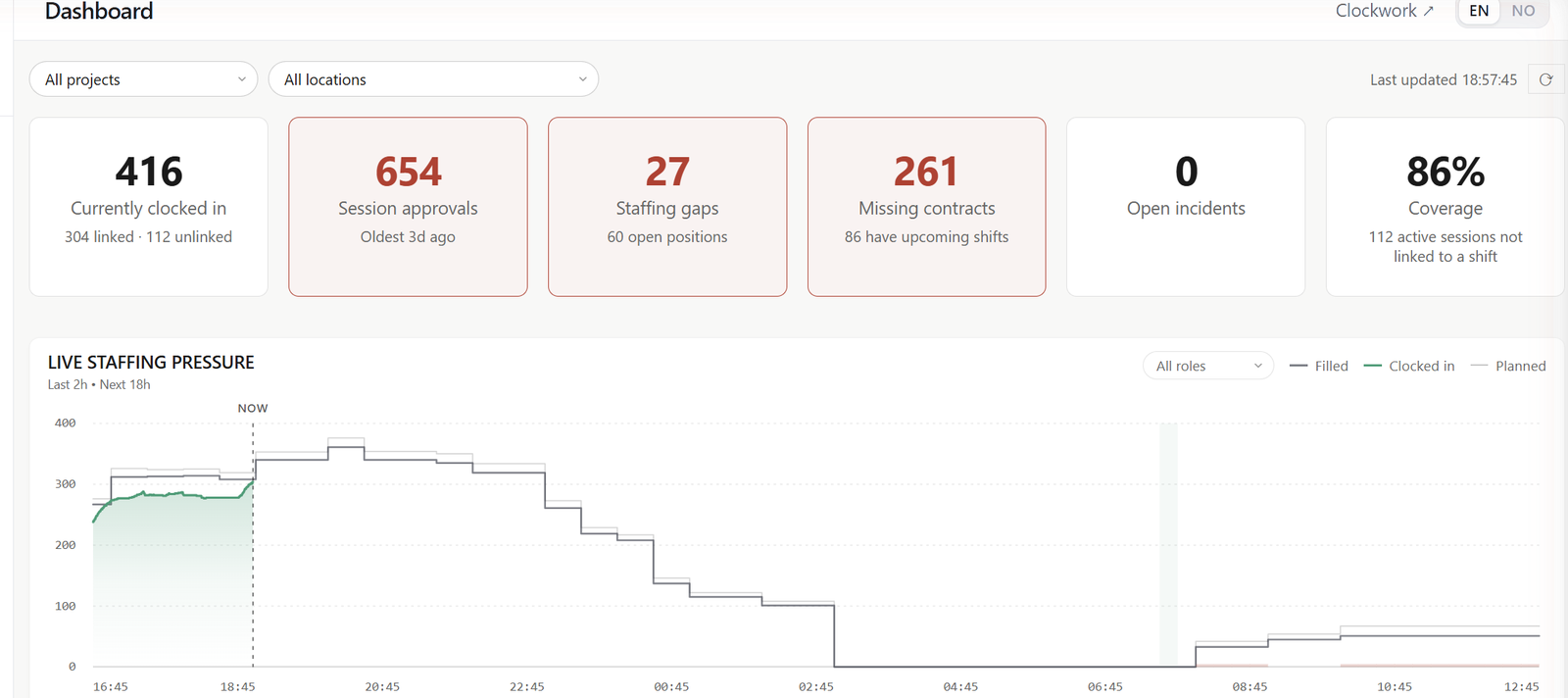
Staffing status, clock-ins and flags. At a glance, as it happens.
Send messages and practical information to a person or a whole group. Cancellations and shift reminders go out on their own.
Your spreadsheets and specialist systems keep their place. HR Cluster connects them, so information moves in and out cleanly and stays consistent.
CSV both ways, ready for Excel. Start from the list you already have, and hand clean data back to payroll.
Validate company and vehicle information against public registers, reducing manual entry and improving data quality. Company data via Brønnøysund, vehicle data via Statens vegvesen.
The production plan can be pasted in from your current sheet, and goes back out as CSV or PDF.
Most teams begin by getting their crew organised, then switch on more of the platform as operations get more complex. Workforce and Ops are both established parts of HR Cluster, in the same workspace, on the same information. There is no second system to migrate to.
People, groups, roles and contracts in one current list.
Reported from the field by the crew, followed up by production. The same record, whichever side raises it.
Shifts planned against real projects, locations and call times.
Who is delivering what, and when. Suppliers send in their own details, and you approve them.
What is on site, who is responsible for it, and where it is allowed to go.
Gates, zones and the access rules that go with them, shared by security, production and scheduling.
Risk assessments and documentation kept on the records they belong to.
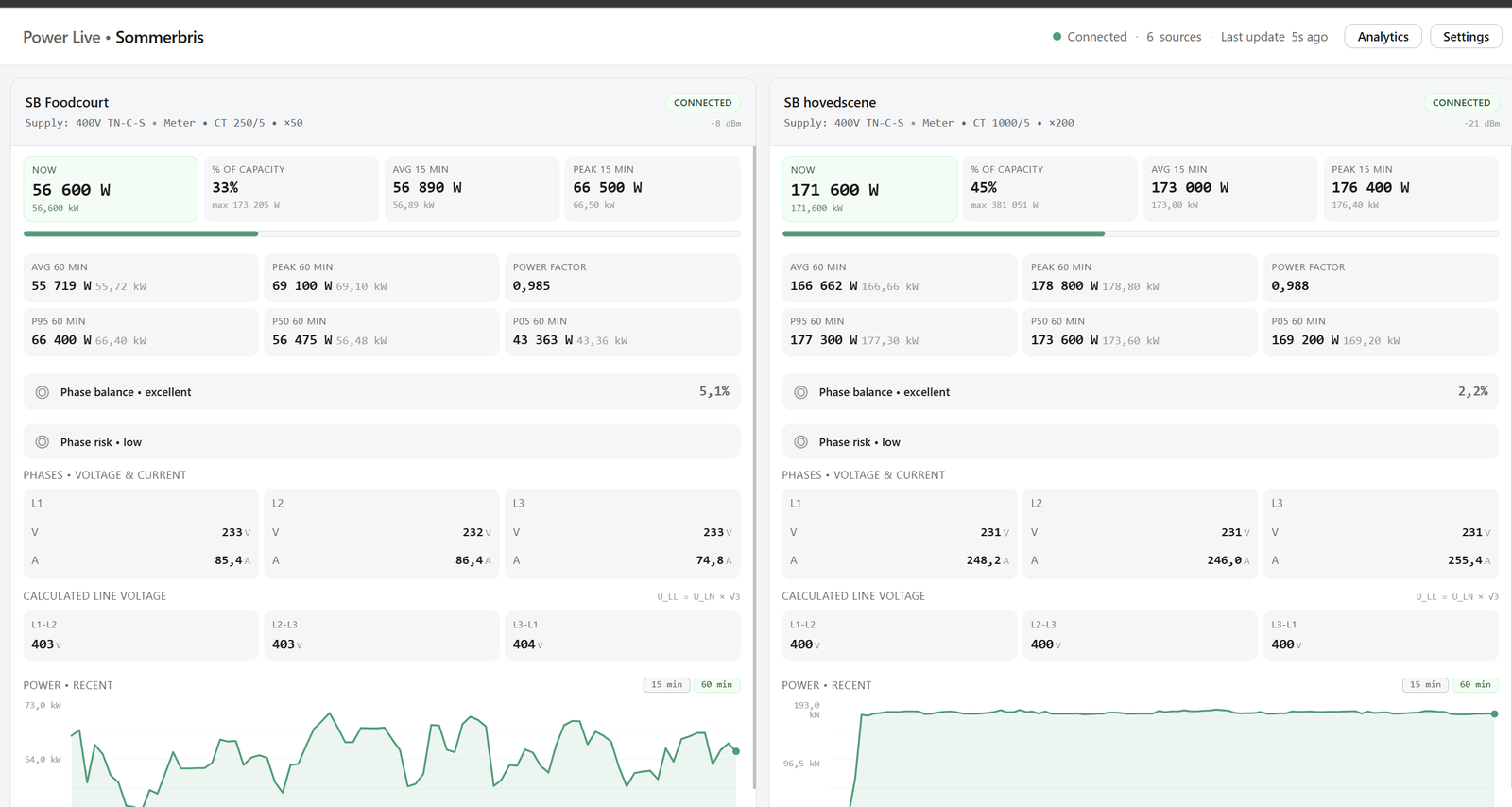
Accreditation, radio channels, power and the rest, switched on when an event year calls for them.
This is how organisations typically grow with HR Cluster, not a required order. Start with the area that delivers the fastest value for your organisation. Nothing you already use has to be switched off to begin.
The difference shows up three times: before the gates open, on event day, and when finance and compliance close the books.
Onboarding done before shift day. Contracts signed and filed. The crew list is current: one version, not last week's export.
Coordinators see every shift without walking the site. Links and QR codes keep onboarding and check-in fast under pressure.
Hours approved and reconciled. Everything still waiting, from signups to missing contracts, on one dashboard. Documentation ready if an auditor asks.
Updates as the event runs
Most systems work before and after. HR Cluster works when it matters most.
Festivals, venues, staffing companies, production teams and seasonal crews each run to their own rhythm. This is where HR Cluster fits each one.
Multiple stages, multiple call times, hundreds of temporary crew. Onboarding by link absorbs last-minute additions.
VenuesPer-event crews, recurring roles, promoter-specific staffing. A new concert starts from the roles and regular crew you already have.
Temporary staffingCrew pools, projects per client, cross-event scheduling with double bookings blocked. A client's contact can get read-only access to their own group.
Event operationsThe Ops suite brings the production plan, deliveries, suppliers, accreditation and vehicles into the same structure the Workforce suite uses.
Seasonal workforceKeep people, competence and contract history across seasons without re-onboarding from scratch.
One platformA staffing company that also runs its own festival, or a venue with a seasonal crew. Each part gets its own projects and groups.
Book a short demo and we'll walk through where you would start, with your own crew, suppliers and site.